

If your password does not suit you for any reason, you can change it directly in the app:
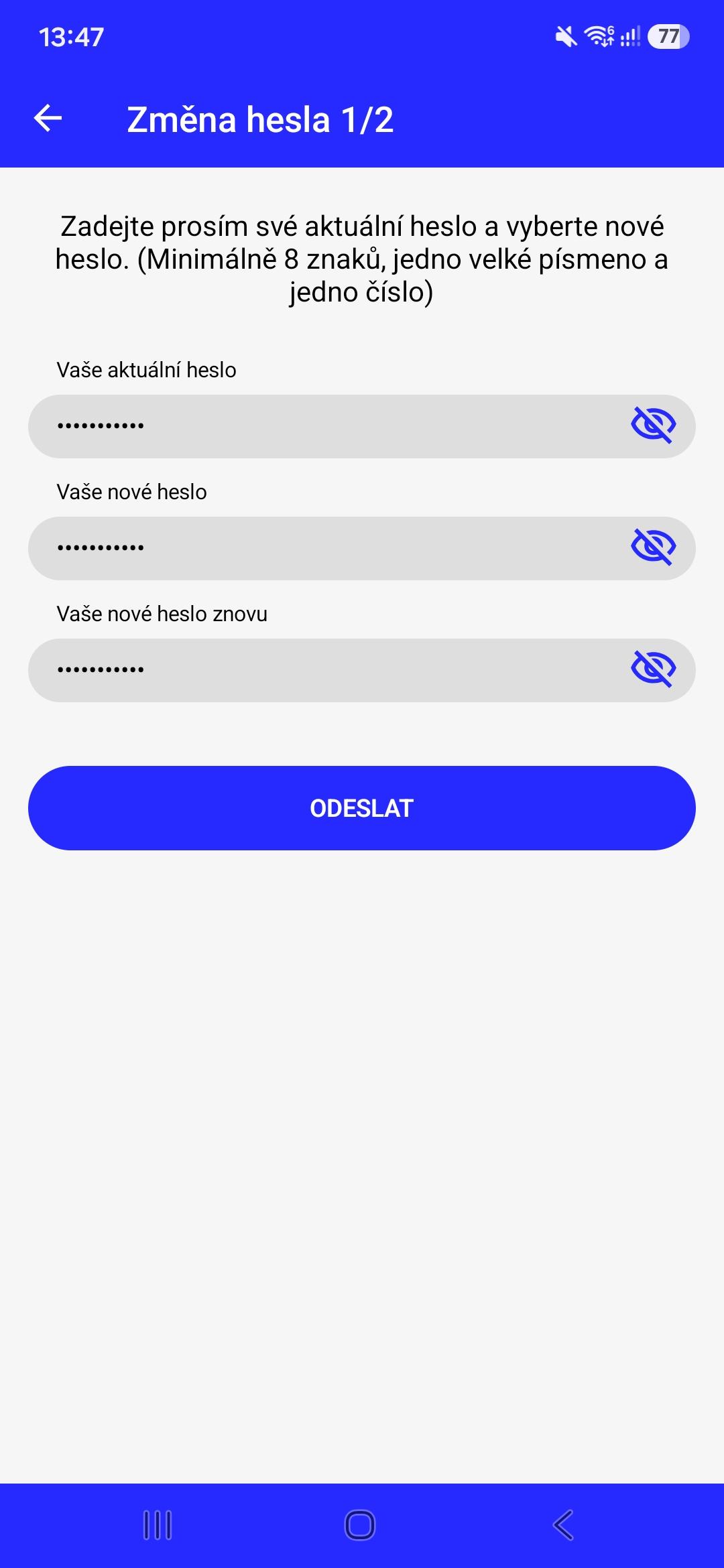
Zadejte své současné heslo a dvakrát vložte nové heslo. Vaše heslo by mělo mít minimálně 8 znaků a obsahovat jedno velké písmeno a jedno číslo.
Jakmile máte hotovo, potvrďte tapnutím na tlačítko “Pokračovat”.
Jakmile máte hotovo, potvrďte tapnutím na tlačítko “Pokračovat”.
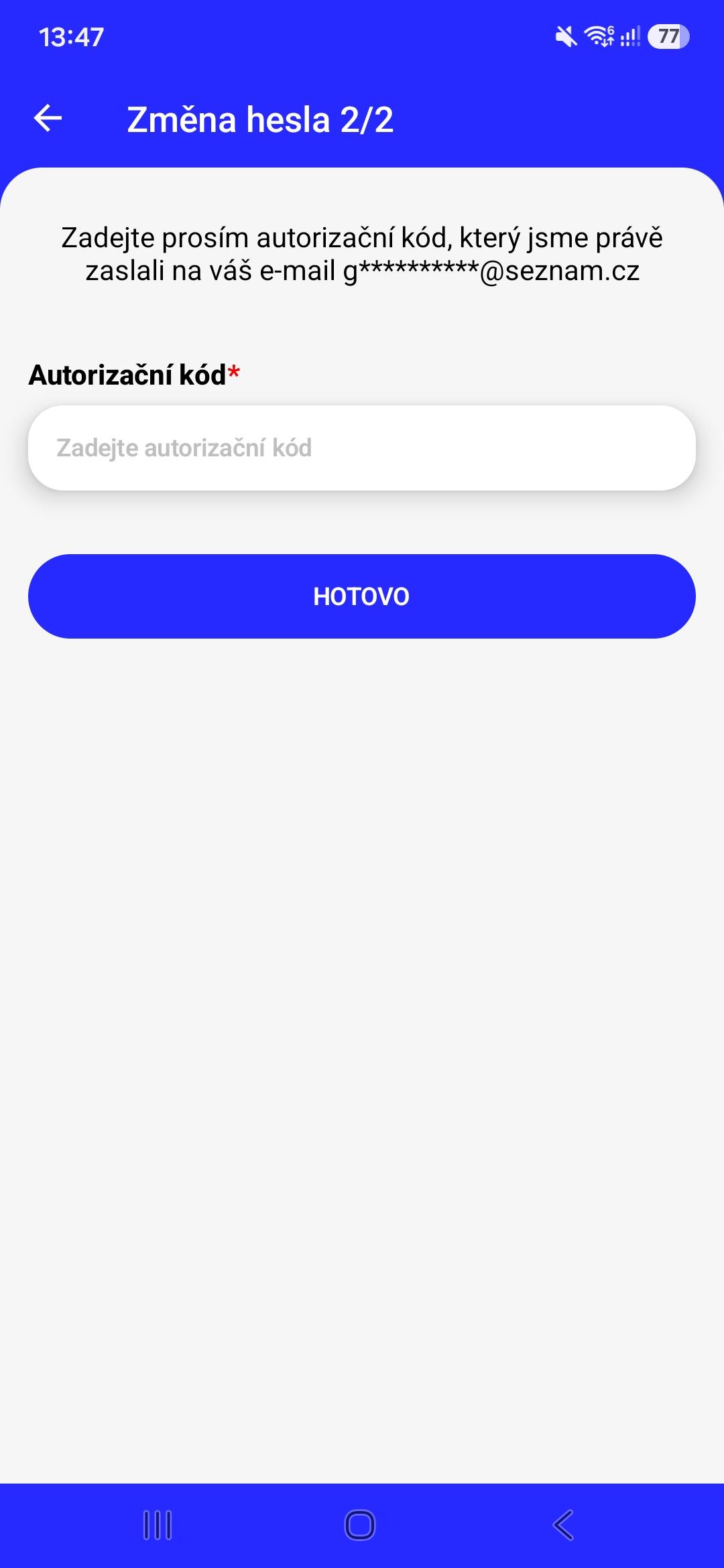
In the next step, we will send you a message with an authorization code to your email. Enter this code from the email into the “Authorization code” field and confirm the entered value by tapping the “Done” button.
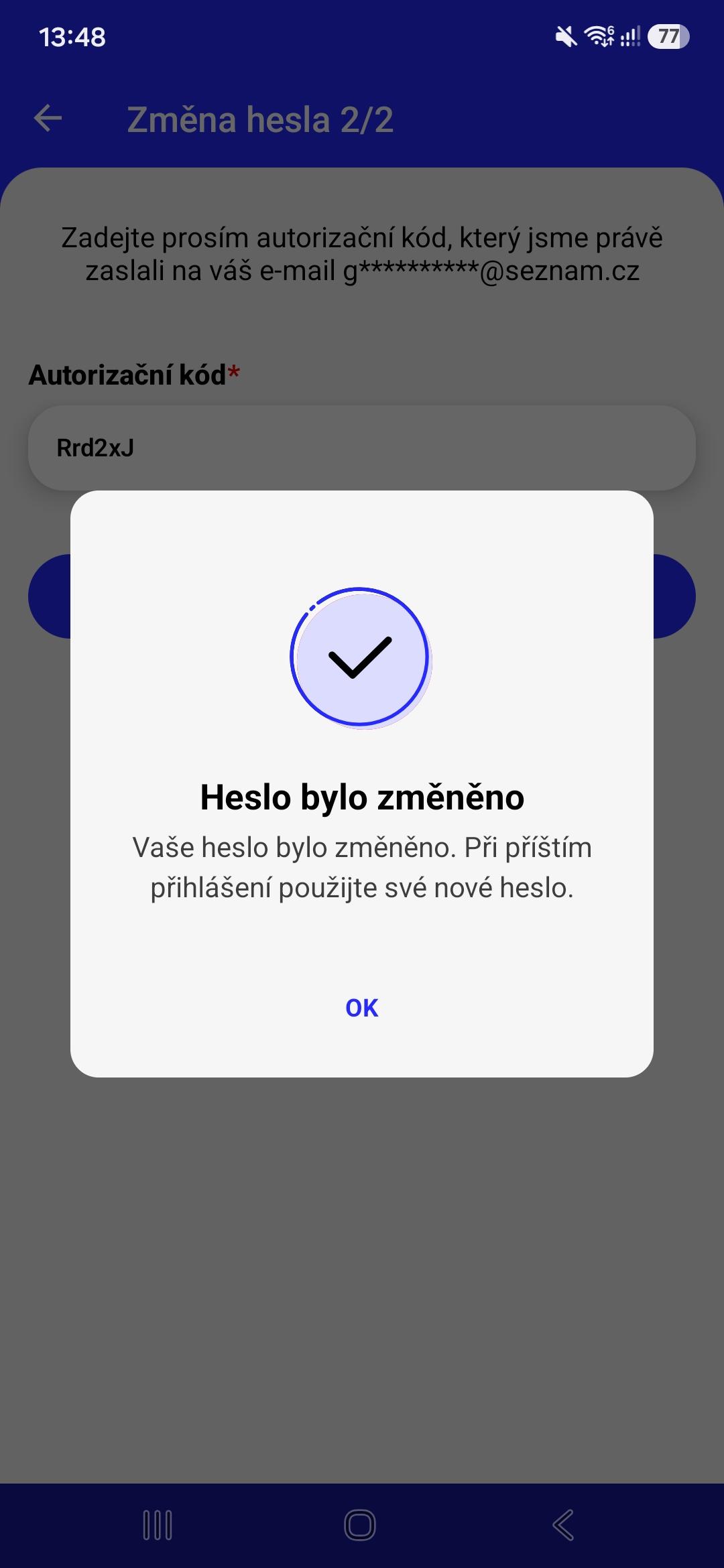
If everything goes well, you will see a confirmation that the password has been successfully changed. Your next login to the application will require a new password.