

Thank you for choosing our "terminal-on-mobile" solution. Before you start using the application, we would like to share some important information with you.
How to use the app
If you have already received your login credentials from us, you have access to the application. Virtual terminals with unique numbers (known as TIDs) are assigned to your account. You have access to exactly the number of TIDs you requested, and this number can be increased at any time through your sales representative. However, please note that a single TID can only be used on one device at a time—see the image:
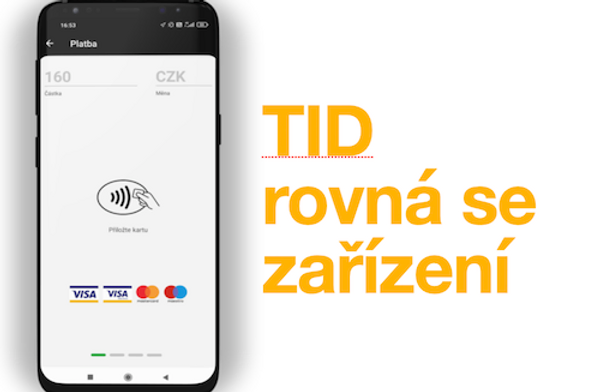
If you need to use your TID on a device other than the one you are currently using, simply log in on the new device with your credentials and select your terminal. We will then automatically send an authorization code to your email; enter this code into the app to complete the login process. Therefore, if you wish to use multiple phones simultaneously, you need a separate TID for each one.

Need another TID?
If you need an additional TID, you can add it yourself in the Marketplace, or contact your sales representative—they will be happy to arrange it for you.
Supported devices
What our app is best at is compatibility. Our customers use nearly a thousand different phone models from more than eighty manufacturers. But there are minimum requirements that all of them must meet:
GP tom for Android
- Minimum version of Android 9 and above
- the device must have an NFC chip
- Internet connection (SIM card or Wi-Fi)
Girocard plugin for Android
- Minimum version of Android 9 and above
- supported devices you will find here
Apple
- iOS 17 and above
- iPhone XS and above
- Internet connection (SIM card or Wi-Fi)
Check your settings
Once you have installed the app, ensure that everything is configured correctly for your device; for some manufacturers, proper settings are essential for the app to function correctly. This applies particularly to users of Huawei and Xiaomi phones.
How to configure your application access settings
As you may have already noted, you log in to the application using the email address designated as the technical contact. If, for example, you wish to use the application on two phones with different login credentials, or conversely need to use multiple terminals on a single device, please inform your sales representative of this before signing the contract so that we can configure everything correctly for you.
Continue: application installation >