

Based on the card scheme rules, there are mandatory fields that must be included on the receipt for card payments. As we also provide other payment methods, we share with you an overview of which details are mandatory or optional. Please be aware that incorrect receipt content can cause your customers (merchants) to incur serious penalties from the schemes.
Payment by card
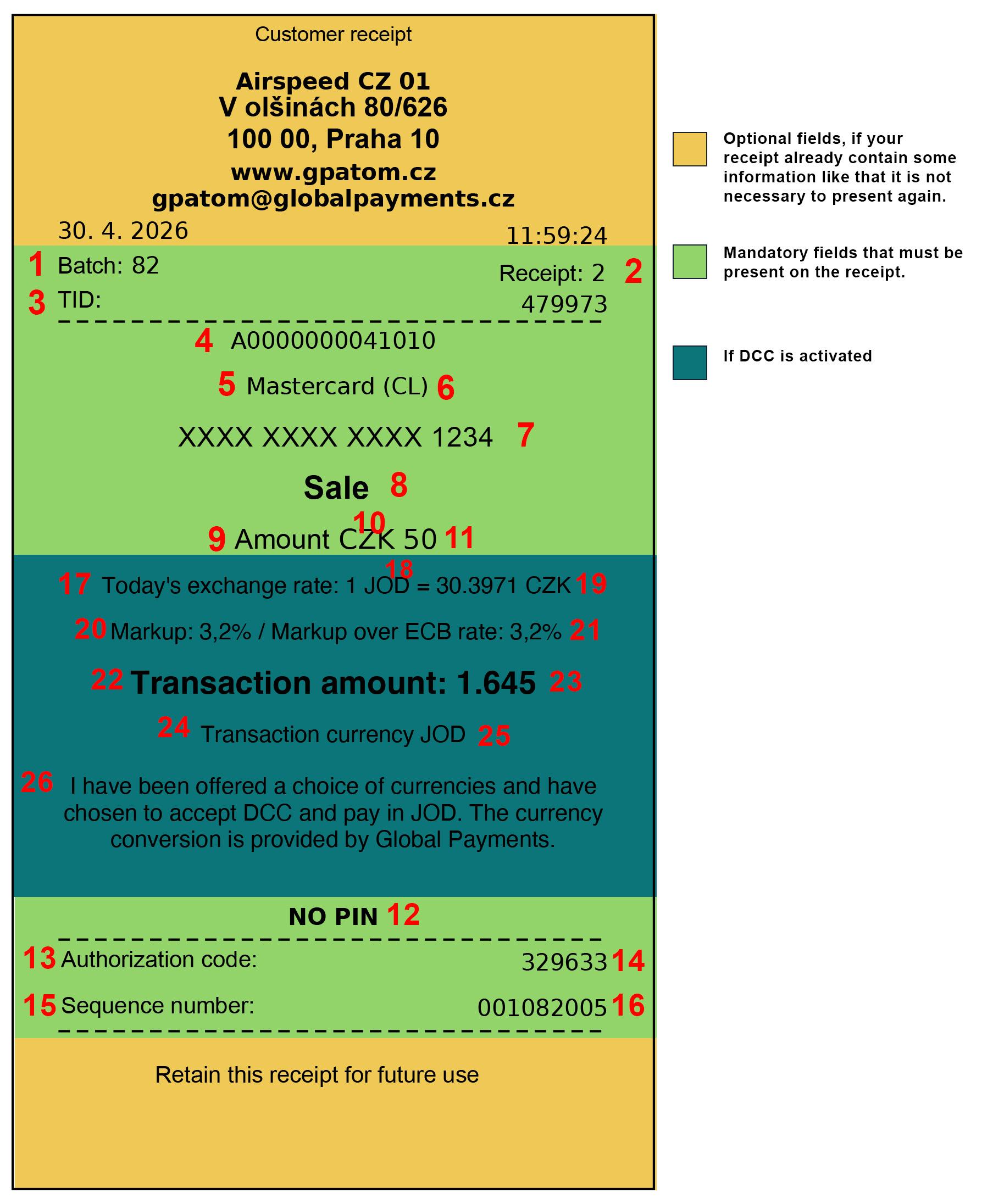
Below you will find the variables used in the receipt visual for the App2app API:
Below you will find the variables used in the receipt visual for the Cloud API:
Below you will find the additional variables used in the DCC receipt visualisation: The variable names are the same for all APIs – app2app, Cloud and deeplink. If you receive a status of „NOT_ACCEPTED“, you may ignore the DCC data. If the status is „ACCEPTED“, you must include the DCC data on your receipt. The text for the DCC data must always be provided in English on the receipt.
For cancellations where the status is „ACCEPTED“, simply add the following text to the receipt:
„The transaction amount, currency and exchange rate are the same as for the original transaction.
The currency conversion is provided by Global Payments.“
For Hungary only, the text needs to be amended to:
„The transaction amount, currency and the exchange rate are the same as for the original transaction.
The currency conversion is provided by Global Payments Europe.“
For Hungary: "I have been offered a choice of currencies and have chosen to accept DCC and pay in "currencyCode". The currency conversion is provided by Global Payments Europe."
ACCEPTED - in this case you need to fill the DCC data as per visual
Markup over ECB rate: - filled if "regionSchemaIndicator" = 2 / filled if "regionSchemaIndicator" = 2