

Your sales
we’ll speed things up

These days, it’s essential to be efficient. This is doubly true when it comes to deliveries. Zero errors and speed – that’s what’s required. Thanks to Genius mobile pay, you can achieve this goal quickly and easily using QR codes.
How does it work?
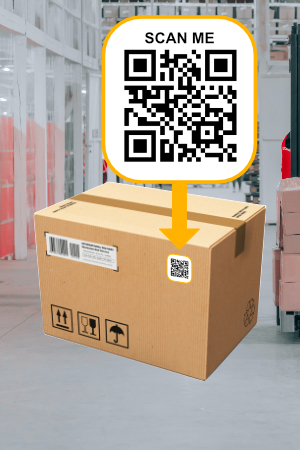
Create and place a QR code
Please add a QR code containing the payment details to the parcel or document. Genius mobile pay can read several types of QR codes, and we are able to add supported standards as required.
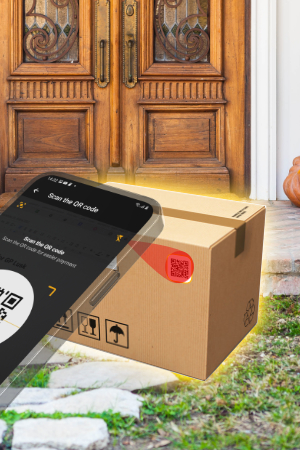
Scan the QR code upon delivery
Simply tap the QR scanner in the Genius mobile pay app and scan the QR code with your mobile device. The app will read the information from the code and pre-fill your payment details. All you need to do is check them and initiate the payment.
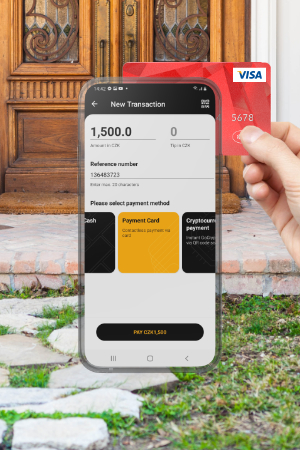
That’s it!
The customer taps their card, phone or other device to pay for your order. It’s quick, error-free and convenient. You can send the receipt to the customer digitally via text message, email or a QR code.

What are the benefits for you and your clients?
- fast and error-free check-in
- you don’t need another app on your phone
- We support the most widely used QR code standards
- We’ll fill in all the details, including the customer’s email address for the receipt
- You can create a QR code yourself
Which standards do we support?

Genius mobile pay QR code standard
The simplest possible standard to use, available free of charge. Simply separate the amount, currency and reference number with a comma and enter them into the QR code. Below you will find instructions on how to create your own code, along with some examples.

QR Invoice and QR Payment
A Czech standard designed and used primarily for bank transfers is now, thanks to Genius mobile pay, making its way into the world of card payments. The app can read this code and extract all the necessary payment details from it.

PAY/INVOICE by Square
Would you like to use QR codes in accordance with the Slovak „bysquare“ standard? With us, you can – and the money will be paid into your account by the next day. All you need to do is save the necessary details and payment information in your account.
How to generate a Genius mobile pay QR code

Get your data ready
To generate a QR code, you’ll just need the amount and the currency (depending on ISO). You can also optionally include a reference number in the QR code – this could be an order number, invoice number, delivery note number, etc., up to 20 characters long.

Compile the data
Arrange the data in a data string one after the other, separated by commas, in the following order: amount (including two decimal places), currency and reference number (optional). For example, for an amount of 1,500 Kč and reference number F136483723, the data will look as follows: 150000,203,F136483723.

Generate a QR code
To generate the QR code itself, you can use freely available libraries or freely available web tools to generate it.